
, /blog / N° 01

Which processes should a Mauritian SME automate first?

A six-signal method for choosing your first automation in Mauritius, so you build the workflow that pays back instead of the one that sounded good in a meeting.

Published
Read
11 min
By
Synalytics
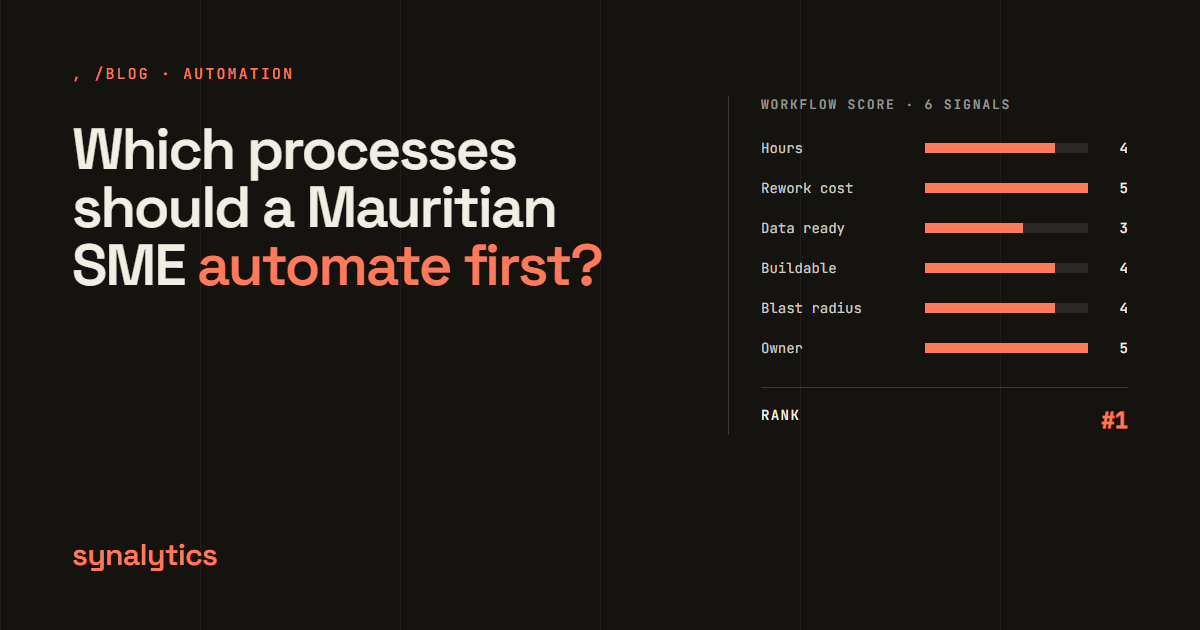
Cover showing the question which processes a Mauritian SME should automate first, beside a six-signal workflow score panel

Choosing what to automate first matters more than choosing the tool. In 2025, MIT's NANDA initiative reported that 95% of the organisations it studied had seen no measurable return from their generative AI spending (The Register, August 2025). The same research found that spending skewed towards visible sales and marketing tools, while back-office automation often delivered the better return (MediaPost, August 2025). Where the money went mattered as much as how much was spent.

For a Mauritian business of 30 to 300 people, the stakes are practical. Labour is getting more expensive: the national minimum wage rose to Rs 17,745 a month on 1 January 2026, up from Rs 17,110, as published in the Government Gazette on 17 January 2026 (WageIndicator, February 2026). Every hour your team spends retyping, chasing and copying costs more than it did last year.

This guide sets out the method we use in our AI Roadmap to decide what to automate first, and what to leave alone.

Key Takeaways

  • Pick your first automation by measurement, not enthusiasm. MIT found back-office automation often paid back better than more visible sales and marketing projects.
  • Score every recurring workflow on six signals: hours consumed, cost of rework, data readiness, buildability, blast radius and a named owner.
  • Measure hours from your own systems where you can, and label anything you could not measure as an estimate.
  • Keep a written do-not-build list. Rejecting weak candidates protects the budget for the strong ones.

What makes a process worth automating first?

A process is worth automating first when it eats a measurable number of hours, fails in ways that cost money, runs on data you already have, can be built with known tools, would not hurt anyone badly if it broke, and has one person who will own it. That is the whole test. Notice what is missing: "AI could do this." Almost anything could be done by AI in a demo. The question is whether doing it pays back in your business, with your data, this year.

The first project also carries more weight than the rest. It sets your team's opinion of automation for years. A clean first win buys patience for the harder second and third projects. A stalled first project makes everyone sceptical of the next proposal, however good it is.

So the first pick should be boring in the best sense: frequent, measurable, low-risk and owned.

Step 1: List every recurring workflow

By the end of this step you will have a written inventory of every task that repeats in your business, with who does it and how often.

Sit with each function head (finance, HR, sales, operations) and list what happens every day, week and month. For each workflow, write down:

  1. What triggers it. An email arrives, a form is submitted, a month ends.
  2. Who touches it. Every person, in order.
  3. How often it runs. Daily, weekly, per customer, per hire.
  4. Which systems it crosses. Email, spreadsheets, your accounting package, WhatsApp, your CRM.

In our AI Roadmap engagements with companies of 30 to 300 people, this usually produces twenty to forty workflows. Do not filter yet. The approval chain nobody likes and the report one person rebuilds every Monday belong on the list too. Those are often the best candidates, precisely because everyone has stopped noticing them.

You know this step is done when each function head agrees the list is complete for their area.

Step 2: Measure the hours from your systems, not a workshop

Next, put an hours figure against every workflow, and be honest about which figures are measured and which are guesses.

Workshops produce confident numbers that are usually wrong. People remember the painful week, not the average one. Where the answer already sits in a system, query it instead of asking. Your email or ticketing system shows how many requests arrive. Your accounting package shows how many transactions are posted by hand. Form and approval timestamps show how long things wait.

Where the working day goes Donut chart. Asana's 2023 Anatomy of Work Index found knowledge workers spend 58% of their day on work about work and 42% on skilled and strategic work. 9,615 respondents. Where the working day goes Share of knowledge workers' day, 9,615 respondents 58% work about work Work about work: 58% coordinating, not doing Skilled and strategic work: 42%
Source: Asana Anatomy of Work Index 2023, published March 2023 (data collected November 2022).

Hidden coordination work is usually the largest pool. Asana's 2023 Anatomy of Work study of 9,615 knowledge workers found that "work about work", time spent coordinating work rather than doing the skilled, strategic job, takes 58% of the working day (Asana, March 2023). That is exactly the kind of work that hides in a workshop and shows up in a timestamp.

Then convert hours to money. At the 2026 minimum wage, an hour costs about Rs 91: Rs 17,745 a month over roughly 195 working hours, based on the 45-hour normal week in the Workers' Rights Act 2019. A workflow that eats ten hours a week therefore costs at least Rs 47,000 a year in wages alone, and more at real office salaries. That floor is often enough to show which candidates are worth a build quote.

Flag every number as either measured or estimated. An estimate is fine. Treating an estimate as a measurement is how a business case falls apart in front of the board. You know this step is done when every row has a number and a label.

Step 3: Score each workflow on six signals

This step turns the inventory into a ranked list, with a reason behind every position.

Score each workflow from 1 to 5 on these six signals. Write a one-line definition for each score before you start, so anyone can check your work and argue with it.

Signal What it asks A high score looks like
Hours consumed How much time does this take across everyone involved? Many hours a week, every week
Cost of rework What happens when it goes wrong? Errors reach customers, payroll or the accounts
Data readiness Is the input already digital and consistent? Structured data in a system you control
Buildability Can it be built with proven tools? Known integrations, no research needed
Blast radius How bad is it if the automation fails? Small: a person can catch it and fix it
Named owner Is there one person who will own it? A name, not a department

Two signals work as gates rather than points. A workflow with no named owner (an owner score of 1) should not be built yet, however high it scores elsewhere: nobody will notice when it drifts. A workflow with a large blast radius, such as anything that sends money or messages customers without review, should start with a person approving each output.

Add up the scores, sort the list, and look at the top five. Those are your candidates.

Here is what that looks like for four common workflows. The scores are illustrative, for a typical 80-person services company, not a client's results:

Workflow Hours Rework Data Build Blast radius Owner Total Outcome
Leave and overtime approvals 3 4 4 5 5 5 26 Build first
Monthly management report 4 3 3 4 4 4 22 Build next
Review follow-up 2 2 4 5 4 3 20 Later
Inbound lead response 2 5 4 4 3 1 19 Name an owner first

Inbound lead response scores well on rework cost, because a missed enquiry is lost revenue, but with no single owner in sales it fails the owner gate. Fixing that is a management decision, not a build.

Step 4: Write the do-not-build list

The last step is a short, written list of everything you considered and rejected, with the reason.

This is the step many assessments skip, and it may be the most valuable. Gartner expects over 40% of agentic AI projects to be cancelled by the end of 2027 due to escalating costs, unclear business value or inadequate risk controls (Gartner, 25 June 2025). Many of those projects could have been stopped on paper, before the money was spent.

Typical reasons a workflow lands on the do-not-build list:

  • It runs too rarely. A quarterly task that takes two hours is not worth a build.
  • The data is not there yet. If the input is handwritten or scattered across personal inboxes, fix the data first.
  • The process itself is wrong. Automating a bad process gives you a fast bad process. Simplify it first.
  • Nobody owns it. See the gate above.

A consultant who recommends everything is selling, not advising. A short, honest rejection list is also what convinces a finance director that the approved items are real.

Which processes usually win first?

Across Mauritian SMEs, the same few workflows tend to rise to the top of the ranking. The examples below are typical cases, not client results: what these processes commonly look like before and after.

Leave and overtime approvals. The usual chain is an email to a manager, a reply, another email to HR, a manual spreadsheet update and a message to payroll. It commonly takes two to three days from request to confirmation and leaves no audit trail. Automated, the employee submits a form, the manager approves with one tap (often on WhatsApp), and HR and payroll update themselves. It scores well on almost every signal: frequent, low blast radius, simple data, an obvious owner in HR. If you run HR for several companies, this is the problem Staffio is built around.

Inbound lead response. A contact form lands in a shared inbox and someone calls back a day or two later, by which time the prospect has spoken to a competitor. Automated, every enquiry creates a CRM entry, the right salesperson is notified with a summary, and a follow-up deadline escalates if it is missed. The hours saved are small. The revenue protected is not.

The monthly management report. Someone spends a day or two each month copying numbers from the accounting package into a spreadsheet and formatting it. It is always late and never quite the same shape twice. A scheduled pipeline can pull the actuals, calculate variance against budget and send a consistent report on the first working day. This often grows into a proper analytics and BI setup later.

Review and feedback follow-up. For hotels, restaurants and service businesses, asking every customer for a review depends on someone remembering. A message triggered at checkout or job completion does not forget.

What these have in common: each is frequent, rule-based, low-risk and owned by someone obvious. None of them needs advanced AI to deliver value.

Why connected systems matter more than AI

The businesses getting results from automation are usually the ones whose systems already talk to each other. In Salesforce's Small and Medium Business Trends survey of 3,350 SMB leaders, run in August and September 2024, 66% of growing SMBs said their technology systems were integrated, against 32% of declining ones (Salesforce, December 2024).

Integrated systems: growing vs declining SMBs Bar chart. In Salesforce's SMB Trends survey of 3,350 leaders (August to September 2024), 66% of growing SMBs had integrated technology systems versus 32% of declining SMBs. Integrated systems: growing vs declining SMBs Share with integrated technology systems, 3,350 SMB leaders, 2024 Growing SMBs 66% Declining SMBs 32% Growing SMBs were about twice as likely to have integrated systems.
Source: Salesforce Small and Medium Business Trends, December 2024.

That survey is a correlation, not proof that integration causes growth. Still, the logic is simple: an automation is only as good as the data it can reach. If your leave requests live in email, your staff list in a spreadsheet and your payroll in a separate package, the first job is connecting them. Often that connecting work is itself the automation.

AI adoption in finance rose quickly, then levelled off. Gartner's annual surveys of finance leaders (183 respondents in 2025) show AI use in finance functions jumping from 37% in 2023 to 58% in 2024, then barely moving to 59% in 2025 (Gartner via CPA Practice Advisor, November 2025).

Finance functions using AI Line chart. Gartner's AI in Finance surveys found 37% of finance functions used AI in 2023, 58% in 2024 and 59% in 2025 (183 respondents in 2025). Finance functions using AI Finance leaders reporting AI use in their function 0% 25% 50% 75% 37% 2023 58% 2024 59% 2025
Source: Gartner AI in Finance Survey, reported by CPA Practice Advisor, November 2025.

The plateau suggests that the easy wins were taken quickly and the next ones need better data and clearer ownership. That is the same lesson as the six signals. Start with the plumbing, prove one workflow end to end, and add practical AI where it removes a judgement step that rules alone cannot handle.

Want this done with your numbers?

If you would rather not run this exercise alone, our AI Roadmap does it for you. It inventories your workflows, measures the hours from your own systems, scores each one on the six signals, and returns three fixed-price build proposals plus the do-not-build list. It starts with a free workflow teardown, and the roadmap fee is credited against your first build. Book your free workflow teardown.

Frequently asked questions

Should we start with AI or with simple automation?

Start with whatever scores highest on the six signals, which is usually rule-based automation. Add AI when a step needs judgement, such as reading unstructured documents or classifying requests. Starting with AI for its own sake is the pattern MIT's research warns against.

Do we need clean data before we automate anything?

You need data that is digital and reachable for the specific workflow you pick, not a company-wide clean-up. Data readiness is one of the six signals for exactly this reason: it steers you towards workflows that can be built now, and puts the rest on the do-not-build list until the data is ready.

How many processes should we automate at once?

One, then the next. A single workflow, built end to end and owned by a named person, teaches you more than five pilots running in parallel. Once the first is stable, the ranked list from Step 3 tells you what comes next.

What if no process is worth automating?

Then the honest answer is not to build anything yet, and the do-not-build list explains why. More often the result is a short list of two or three strong candidates and a longer list of things to fix first, usually data or process design.

The short version

  • List every recurring workflow, typically twenty to forty in a business of 30 to 300 people.
  • Measure hours from your systems, and flag estimates as estimates.
  • Score each workflow on hours, rework cost, data readiness, buildability, blast radius and ownership.
  • Write down what you will not build, and why.
  • Build one workflow end to end, then use the ranking to choose the next.

The first automation sets the tone for every one after it. Choose it with numbers. For the wider picture of what we build, see our business process automation service.

Synalytics is a data and engineering studio in Mauritius. We build dashboards, automations and custom software for companies of 30 to 300 people, at a fixed price with a demo every two weeks. More about us.

Tell us what is
slowing you down.

One call, thirty minutes. We reply with a proposal, a timeline and a fixed price.